 Views 250
 Admin
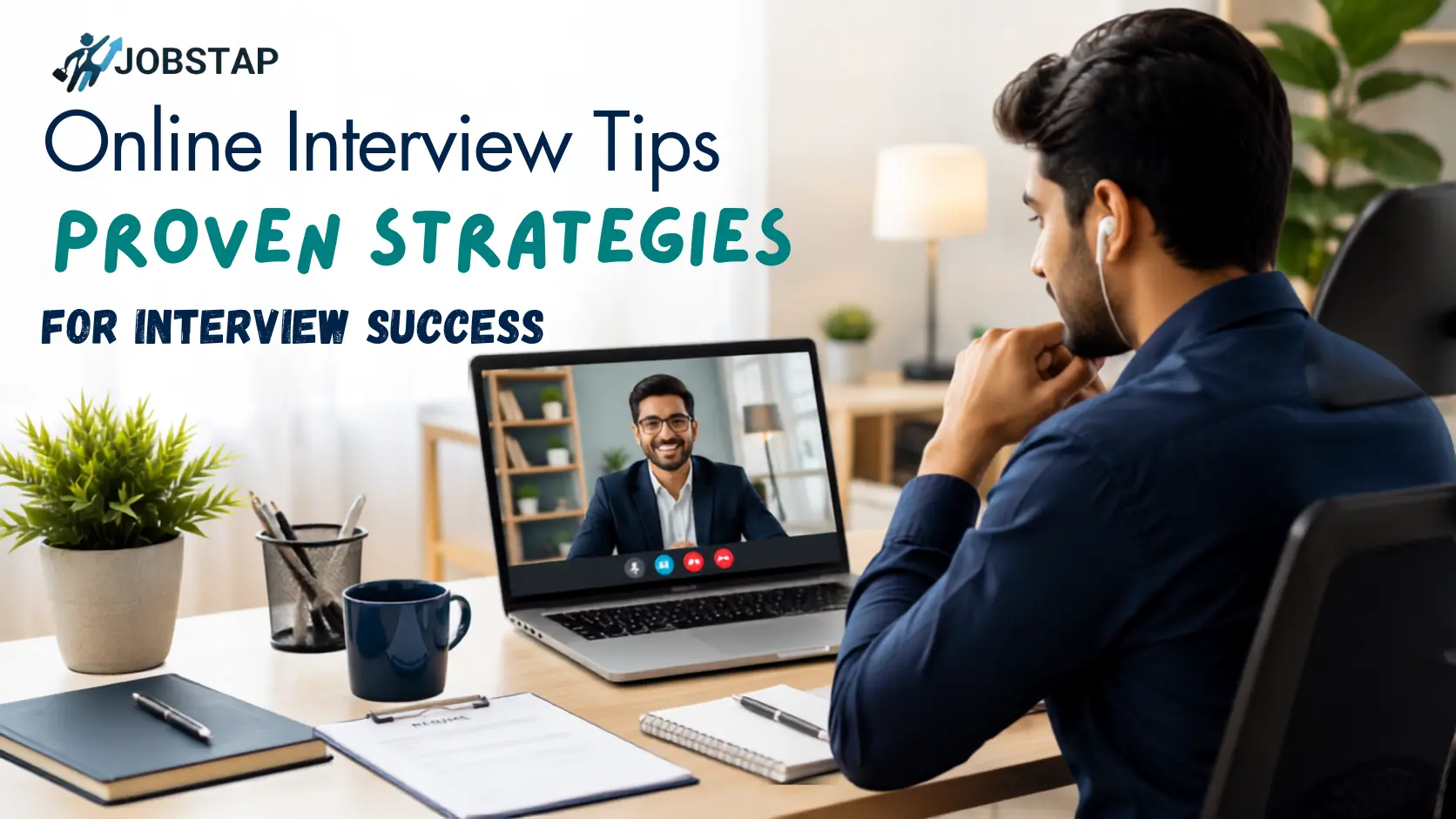
AdminOnline Interview Tips: Proven Strategies for Interview Success
Everyone talks up how comfy video interviews are, sweatpants, no commute, your coffee mug sitting right there. Nobody warns you about the other side of it, though. The Wi-Fi that glitches at exactly the wrong second. The laptop that decides mid-answer is the perfect time to update. That awful freeze where you're staring at the screen, not even sure if they can still hear you.
That's exactly why online interview tips like these exist. This guide covers what actually matters: setting up your tech properly, handling body language on camera, answering the common questions, and dodging the small mistakes that quietly cost people offers. The comfort-and-panic combo of a video call isn't going anywhere, so if you want the job, you can't just open the laptop and wing it. That camera lens is your boardroom now; treat it like one.
What Does an Online Interview Mean?
Basically, it's a job interview minus the building. Same questions, same nerves, just done over Zoom, Meet, or whatever the company's using that week. No commute. No sitting in a waiting room making small talk with a stranger. And honestly, no ironing the whole outfit either, they're only ever seeing you from the chest up. You just log in from wherever you are, and the interviewer sizes you up through a screen. And this isn't some leftover pandemic habit either. Many companies now use video interviews in at least one stage of hiring, and in India specifically, close to 84% of organisations lean on this method to reach candidates who aren't sitting in the same city. It's just how hiring works now.
Types of Virtual Interviews
Not every video interview goes the same way, so it helps to know what you're actually walking into. Most people picture the standard one, live call, one interviewer or maybe a small panel, real-time back and forth, basically an in-person interview minus the commute.
That's the most common format by far. But you might also get a one-way recorded interview, where you're handed a set of questions and record yourself answering with nobody watching live. Companies use this when they've got hundreds of applicants to screen. Panel interviews bring multiple people onto the same call, usually for senior roles. Group interviews go the other way, several candidates together, so the company can watch how people think and communicate. Knowing your format is one of the best online interview tips there is; prepping for a recording is very different from prepping for a live panel. And then there's the AI layer creeping in. AI-assisted screening is increasingly common in early-stage hiring. For that first round of screening, so don't be shocked if your first "interviewer" is really just a script reading your answers. Whatever type you're expecting, it's worth asking the recruiter beforehand if they haven't already told you. Prepping for a live panel is a very different exercise from prepping for a one-way recording.
The Virtual Interview Process, Step by Step
Whether it's a live call or a recorded round, the process behind it tends to follow the same basic shape. It starts with your resume getting looked at, sometimes by a person, sometimes by software doing the filtering. Make the cut, and you get an invite: date, time, platform link, and if you're lucky, the interviewer's actual name. Before the actual call, there's the technical setup bit, testing your camera and mic a day ahead, maybe doing a dummy call with a friend so nothing surprises you. Then comes the interview itself, screening, panel, or recording. Your answers get scored, and you hear back on the next steps.
How Long Does an Online Interview Last?
There's no fixed answer here; it really depends on which stage you're at. A basic screening call could be done in 15 minutes flat, but a panel round? That can easily eat up over an hour.
- Screening or HR round (15–30 min): Nothing too deep here, just the recruiter figuring out if you're a fit and when you're available.
- First video interview (30–45 min): This is where the real conversation starts, with actual questions about your background and the role.
- Technical or task rounds (45–60 min): Expect this to run longer if there's a coding exercise or case study involved.
- Panel or final round (60–90 min): More interviewers means more questions coming your way, so it naturally takes more time.
Here's something worth knowing: recruiters often plan video interviews a bit shorter than they would an in-person one, because staring at a screen gets tiring faster, and there's no natural warm-up time like there is when you're walking into an office. So if your call wraps up in half the time you expected, it's usually not a bad sign, just a shorter format doing what it's supposed to do.
Technical Setup for a Virtual Interview
Honestly, get five things right, and you're mostly sorted:
Stable internet
If someone else at home is streaming a show or downloading something huge, just ask them to pause it for half an hour. Small ask, but it saves you from your call dropping mid-sentence.
Desktop app, not a browser tab
Download whatever app they're using well ahead of time, not five minutes before you're supposed to log in. Browser tabs freeze more often than people expect, and that's just not a risk worth taking.
Headset over the laptop mic
Sound beats video, every time. A blurry picture is annoying but survivable. A voice that keeps cutting out? That basically ends the interview right there.
Good lighting
Face a window or a lamp instead of sitting with your back to it, you'll end up looking like a silhouette having a conversation.
Camera at eye level
Prop it up so the interviewer isn't stuck staring up your chin for half an hour. A stack of books under the laptop usually does the job just fine.
Easy Body Language Tricks to Use During the Call
Look at the lens, not the screen
Staring at their video feed instead of the camera makes it look like you're avoiding eye contact, even when you're not. Here's a trick that actually works: shrink your own video window and drag it right below the webcam, top-centre. Now, glancing at "them" is basically glancing at the camera without even trying.
Slow your pace down a touch
There's usually a slight audio lag on these calls, and rushing through your answers just makes it choppier for everyone involved.
Keep your hands where the camera can see them
Hand gestures are totally fine, even good, just make sure they're happening inside the frame and not off to the side where nobody can see them.
Pick a room with a door, if you've got one
Give whoever you live with a heads-up when the call starts so nobody wanders in halfway through your answer. And if the room itself is a bit of a mess, background blur takes care of that in about two clicks.
Turn off every notification you can find
Chat apps, social media, random browser tabs, all of it. One ping at the wrong second and you can lose your train of thought completely.
Don't spiral if something goes wrong
The Internet drops, someone barges in, whatever it is, don't panic. Just smile, fix it, and get right back into the conversation. That kind of calm under pressure is, honestly exactly what interviewers remember afterwards.
Interview Questions and Best Answers for Freshers
Three questions come up again and again for freshers: "Tell me about yourself," "What's your biggest weakness," and "Why should we hire you without experience."
Getting your first job is genuinely tough when your resume is mostly empty space. But companies don't actually expect freshers to know everything walking in. What they're looking for is attitude, energy, and someone who picks things up fast. That's exactly why having a solid list of interview questions and best answers for freshers ready beforehand makes such a big difference; it takes the guesswork out of the moment and lets you focus on just being yourself.
Before your interview, it's worth checking out career sites like Jobstap. It's a decent, trusted place to look up real company reviews, see what current employees actually think, and get a sense of what the role typically pays.
1. Tell me about yourself.
Don't just read your resume out loud or list your hobbies. Try the present-past-future structure to keep it tight.
Something like: "I just finished my degree in Computer Science, where I focused on data and coding. For my final school project, I helped a local group organize their data system, which made their computers run 20% faster. I love the tools your team is building here, and I want to bring those same skills to this junior role."
2. What is your biggest weakness?
Skip "I work too hard," it always sounds fake. Pick something real and small, then show what you're doing about it.
Something like: "In the past, I struggled to share work during group projects because I wanted to control everything myself. But in my last year of school, I saw that this stressed my team out. I started using online task boards to split things up, and it made the project a lot smoother while teaching me to actually trust people."
3. Why should we hire you without experience?
Flip the lack of office experience into a plus. Lean into how quickly you adapt.
Something like: "I'm new to the office world, but school taught me how to pick up new software and tools fast. I'm used to tight deadlines and figuring things out on my own. I also don't have any old office habits to unlearn, so I'm ready to just learn your way of doing things from day one."
Beyond these three, it's worth having answers ready for the usual follow-ups too, things like "walk me through a project you're proud of," "how do you handle feedback," and "why this company." These show up in almost every fresher interview because recruiters lean on them constantly.
What Hiring Managers Are Really Looking For (Beyond Your Resume)
Attitude and communication carry as much weight as your actual skills here. Your resume is what gets you the interview call; your personality is what actually lands you the offer.
Data from sites like LinkedIn backs this up: when two candidates have near-identical degrees, the job usually goes to whoever comes across as easier to work with.
[Your Technical Skills] ----> Gets you the interview call [Your Vibe & Attitude] ----> Lands you the actual job offer
Show that you can take feedback well. Nobody's expecting perfection. During the call, just show that you listen, take suggestions seriously, and genuinely want to learn from people who've been doing this longer than you.
Why Recruiters Love Virtual Interviews (Recruiter Benefits)
It's not just candidates who like ditching formal clothes for a call. Recruiters have their own reasons to push for this format, and honestly, the numbers back them up.
The cost is a big one. Companies running interviews this way cut their cost per hire by roughly 2.7 times compared to flying candidates in or booking meeting rooms, mostly by just skipping travel and venue expenses altogether. Speed matters too; video calls save close to 40 minutes per round on average, and across a whole hiring cycle, that can cut total hiring time nearly in half.
There's also the talent pool angle: once location stops being a dealbreaker, recruiters can screen someone in another city or state without anyone booking a flight. Scheduling gets easier as well, since calls can be recorded, notes get shared with the panel instantly, and rescheduling doesn't mean losing a meeting room booking.
Platform-wise, Zoom is still the go-to, used by around 55% of recruiters, with Microsoft Teams and Google Meet splitting most of what's left. So chances are, whatever your interviewer opens, you've probably used it before.
For recruiters, none of this is just a workaround for not having an office to meet in. It's genuinely tied to better hiring outcomes than sticking with the old in-person-only approach.
Online Interview vs Phone Interview vs In-Person Interview
Phone interviews are the shortest and voice-only. Video calls bring visuals and a whole technical setup into the mix. In-person interviews test your full presence, walk, handshake, and everything. Here's how they stack up side by side.
| Factor | Phone Interview | Online (Video) Interview | In-Person Interview |
| Typical use | Early screening | First round to final rounds | Final rounds, senior roles |
| Typical length | 15 to 20 minutes | 30 to 60 minutes | 45 to 90 minutes |
| What's assessed | Basic fit, availability | Communication, body language, technical setup | Full presence, culture fit |
| Prep needed | Resume points, clear voice | Tech check plus resume plus eye contact practice | Commute, formal dressing, physical materials |
| Biggest risk | Sounding unprepared | Tech glitches, bad lighting | Nervousness, travel delays |
One way to think about it: moving from a phone call to video is mostly a step up in stakes. You're suddenly expected to be seen, not just heard. And comparing virtual to in-person mostly comes down to who controls the environment. On a call, you're managing your own lighting, sound, and background instead of relying on a receptionist and a meeting room to do it for you.
Common Virtual Interview Mistakes to Avoid
Most candidates who don't make it aren't lacking skill; they just trip over avoidable stuff. Skipping the setup test is a big one. A five-minute call the night before could catch a mic issue before it becomes a real problem. Background noise or movement does the same thing, even with blur on, it still pulls focus. Reading straight off a screen is another giveaway that interviewers can tell, and it kills the natural flow. Call lag also causes people to talk over the interviewer more often than they'd like, so pausing a beat longer helps.;
Timing's another thing people underestimate; even a minute late still counts as late, and it burns goodwill before you've even said hello. Staying calm matters just as much. Plenty of candidates give solid answers but come across a little dismissive when things get tough, and that alone can cost them the offer. Generic "why this company" answers are painfully easy to spot, too. And skipping the follow-up afterwards, that's a small thing, but it can quietly make you look less interested than you actually are.
The Post-Interview Move: What to Do After the Call
Send a short, personalised thank-you email within 24 hours, and mention something specific from the actual conversation.
The process isn't really done the moment you hit the red button to leave the meeting. What you do next can lock in your spot or let it slip. Skip the generic, robotic-sounding template; a specific note goes a lot further in showing you were actually paying attention during the call.
Something like: "Hi [Name], thank you for your time today. I loved hearing about how your team plans to grow the marketing department next month. It sounds like an exciting goal, and I would love to help you build it."
FAQs About Virtual Interviews
What does an online interview actually mean?
It's exactly what it sounds like, a job interview that happens over video instead of in person. And it's not just for one stage either, companies use it right from the first screening call to the final round where they're making the actual decision.
What kinds of virtual interviews are out there?
A few different formats, really. You've got the standard live one-on-one call, one-way recorded interviews where you record answers on your own, panel interviews with multiple people, group interviews, and lately, AI-assisted screening rounds have started showing up too.
So how long does one of these usually take?
Depends on the stage. A quick screening call might be done in 15 minutes. A standard round usually runs 30 to 45 minutes, but if it's a technical or panel round, be prepared for it to go closer to 90.
Is online interview preparation really different from prepping for a phone interview?
Not quite. A phone interview is just your voice, quick and simple. A video call adds another layer, how you look, your setup, your surroundings, so it plays a bigger role in whether you move forward. That's why online interview preparation goes beyond just talking points, you're managing your camera presence too.
Do recruiters actually take virtual interviews seriously?
Yes, just as seriously as they'd take meeting you in person. What changed is the format, not how closely they're evaluating you.
What should I actually do to prepare?
Test your connection beforehand, find a quiet well-lit spot, keep your resume close by, have answers ready for the questions you know are coming, and think of one or two good questions to ask them back.
Is there any special tech I need to worry about?
Not really, nothing complicated. Just solid internet, the desktop version of whatever platform they're using, a headset if you've got one lying around, and your camera set at eye level. That's basically it.
The Big Takeaway: Your Screen Is an Open Door
Crushing a virtual interview tip really comes down to control, more than anything else. Get your setup sorted, keep the room quiet, and know your own story well enough that you're not fumbling for it mid-sentence. Do that much and everything else tends to follow.
A clean background and a bit of homework on the company through Jobstap go a long way too. And honestly, just talking naturally instead of reciting rehearsed lines word for word goes a long way too. Walk in relaxed, treat the screen like a door rather than a wall between you and the interviewer, and just let what you actually know carry the conversation.